Shopify vs Other E-Commerce Platforms: What Should You Choose?
November 11, 2026
A professionally designed catalogue is one of the most effective tools businesses can use to present their products, communicate their services, and support purchasing decisions. Whether you operate a manufacturing company, retail business, wholesale organization, or service-based company, a well-structured catalogue helps customers understand what you offer without requiring them to search through multiple sources of information.
In today’s competitive business environment, customers expect product information to be clear, visually appealing, and easy to access. A catalogue brings product images, descriptions, specifications, features, pricing information where applicable, and brand communication together in one organized format. It can be distributed as a printed document, shared as a digital PDF, or developed as an interactive online catalogue.
However, creating an effective catalogue involves much more than placing product images and descriptions on individual pages. It requires proper planning, content organization, visual consistency, typography, photography, layout design, and an understanding of your target audience.
If you are wondering How to Design a Catalogue for Your Business, this comprehensive guide explains the complete process, from defining your catalogue objectives and organizing product information to selecting design elements, preparing print-ready files, and creating digital catalogues that support business growth.
What Is a Business Catalogue?
A business catalogue is a structured marketing and informational document that presents a company’s products or services in an organized format. It allows potential customers, distributors, retailers, and business partners to explore available offerings and understand their features.
A catalogue can contain different types of information depending on the industry and business requirements.
Common catalogue elements include:
- Company introduction
- Brand identity and logo
- Product categories
- Product photographs
- Product descriptions
- Technical specifications
- Product codes or model numbers
- Available sizes and variations
- Materials and features
- Pricing information, where required
- Contact information
- Website and social media details
For example, a manufacturing company may create a catalogue containing product specifications, dimensions, materials, applications, and technical information. A fashion business may focus on product photography, collections, colors, sizes, and styling. A furniture company may highlight materials, dimensions, finishes, and product applications.
The structure should always reflect the information customers need before making a purchasing decision.
Why Is Catalogue Design Important for Businesses?
A catalogue is more than a collection of product pages. It is a communication tool that helps businesses present their offerings professionally and provide customers with useful information.
A well-designed catalogue can support several business objectives.
1. Presents Products Professionally
First impressions influence how customers perceive a business.
A professionally designed catalogue creates a structured presentation of products and services. Instead of sending customers multiple images, spreadsheets, or unorganized product details, businesses can provide a single document containing all relevant information.
Consistent layouts, high-quality images, readable typography, and organized sections help create a professional presentation.
2. Improves Product Understanding
Customers often need more information before selecting a product.
A catalogue allows businesses to explain product features, specifications, dimensions, materials, available options, and applications.
When this information is presented clearly, customers can compare products and understand which options meet their requirements.
3. Strengthens Brand Identity
Every catalogue is an opportunity to communicate the company’s visual identity.
Using consistent brand colors, typography, logo placement, photography styles, and graphic elements helps customers recognize the business.
A catalogue should follow the same brand guidelines used across the company’s website, advertisements, packaging, and other marketing materials.
4. Supports Sales and Marketing Activities
Sales teams can use catalogues during customer meetings, product demonstrations, exhibitions, presentations, and business discussions.
Digital catalogues can also be shared through email, messaging platforms, websites, and social media.
This makes product information easier to distribute and helps sales representatives communicate product details consistently.
5. Makes Product Comparison Easier
When products are arranged in a logical structure, customers can compare their features and specifications more efficiently.
For businesses offering multiple product categories or variations, organized comparison information can simplify the selection process.
6. Creates a Long-Term Marketing Resource
A catalogue can continue supporting business communication after its initial creation.
Digital versions can be shared repeatedly, while printed versions can be distributed at exhibitions, meetings, and retail locations.
Businesses can also update digital catalogues as products, specifications, and offerings change.
Types of Business Catalogues
Before designing a catalogue, identify which format and catalogue type best suit your business.
Different industries require different approaches to product presentation.
1. Product Catalogue
A product catalogue showcases the products offered by a business.
It generally includes product photographs, descriptions, specifications, categories, and other relevant details.
Product catalogues are commonly used by manufacturers, wholesalers, retailers, distributors, and e-commerce businesses.
2. Corporate Catalogue
A corporate catalogue introduces a business and presents its capabilities, product range, services, achievements, and organizational strengths.
It may include:
- Company introduction
- Business overview
- Product categories
- Services
- Infrastructure information
- Quality standards
- Business capabilities
- Contact information
The objective is to communicate the company’s overall identity and offerings.
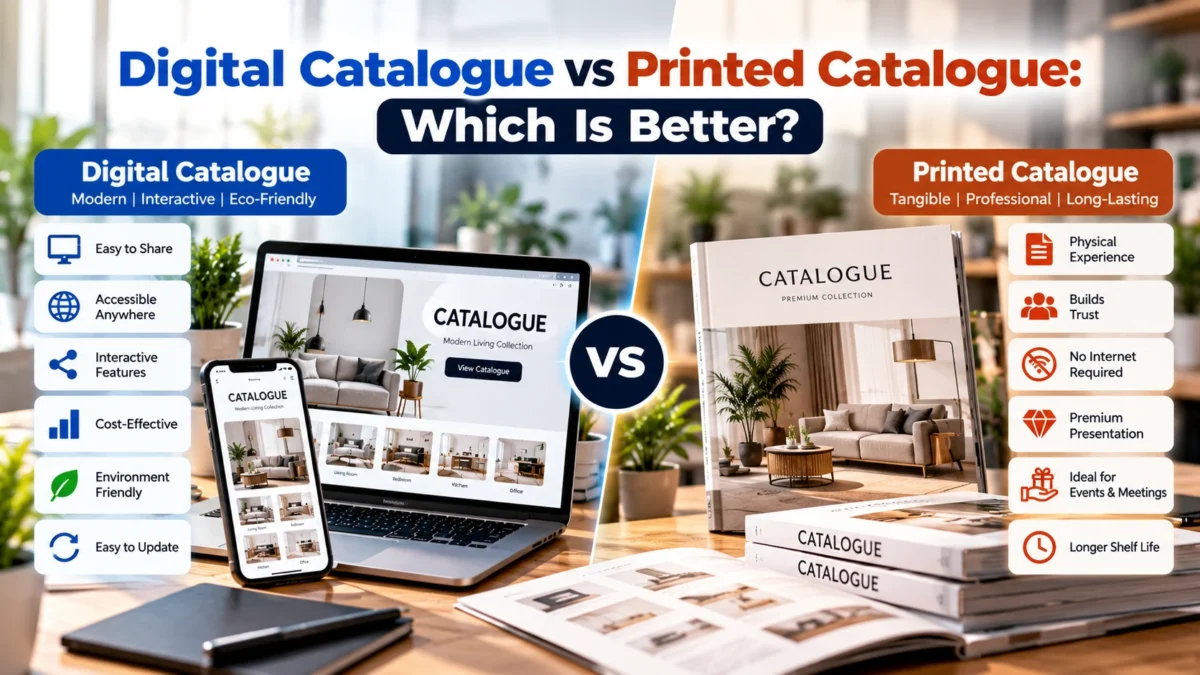
3. Digital Catalogue
A digital catalogue is an electronic document or online presentation that customers can access through computers, tablets, and smartphones.
Common formats include PDF catalogues, interactive PDF documents, web-based catalogues, and digital product presentations.
Digital catalogues are convenient to distribute and can be updated without printing an entirely new batch.
4. Printed Catalogue
A printed catalogue is a physical publication containing product and company information.
It is useful for exhibitions, retail environments, business meetings, showrooms, and direct customer communication.
Printed catalogues require careful consideration of paper quality, printing specifications, page dimensions, colors, and finishing.
5. Service Catalogue
A service catalogue presents the services offered by a business.
It may include service descriptions, benefits, process information, deliverables, packages, and supporting visuals.
Service catalogues should focus on explaining what customers receive and how the services address their requirements.
6. Industry-Specific Catalogue
Some industries require specialized catalogues with detailed technical information.
For example, construction, ceramics, furniture, electrical equipment, industrial machinery, and building material businesses may need product dimensions, technical specifications, materials, finishes, installation information, and application details.
The catalogue structure should accommodate these requirements without making the design difficult to understand.
How to Design a Catalogue for Your Business: Step-by-Step Process
Creating a professional catalogue requires a structured workflow. Following a clear process helps prevent missing information, inconsistent layouts, and unnecessary design revisions.
Step 1: Define Your Catalogue Objectives
Start by identifying why you need the catalogue.
A catalogue designed for retail customers may require a different layout from one created for distributors, architects, dealers, or corporate buyers.
Ask yourself:
- What is the primary purpose of the catalogue?
- Who will use it?
- Which products or services should it include?
- Will it be printed, digital, or both?
- What information do customers need?
- What action should readers take after viewing it?
For example, if your objective is to generate product inquiries, the catalogue should provide clear product information and prominent contact details.
If it is intended for distributors, it may require more technical specifications, product codes, available variations, and ordering information.
Clearly defined objectives provide direction for the entire design process.
Step 2: Understand Your Target Audience
A successful catalogue is designed around the people who will use it.
Different audiences have different information requirements.
For example:
- Retail customers may prioritize product appearance, benefits, and pricing.
- Dealers may need product categories, variations, and ordering details.
- Architects may require dimensions, materials, finishes, and application information.
- Industrial buyers may prioritize technical specifications, performance, and compliance information.
- Corporate clients may look for company capabilities, services, and professional credentials.
Research your target audience before deciding the catalogue structure.
Understanding customer expectations helps determine which information should receive the most visual attention.
Step 3: Collect and Organize Product Information
Content preparation is one of the most important stages of catalogue development.
Before starting the design, collect all product information and organize it systematically.
Depending on your industry, this may include:
- Product names
- Product codes
- Category names
- Product descriptions
- Features
- Benefits
- Dimensions
- Available sizes
- Colors and finishes
- Materials
- Technical specifications
- Applications
- Pricing information, if required
- Product images
Create a master product data sheet to maintain consistency.
For businesses with large product collections, a spreadsheet can make information management easier.
Check product names, measurements, spelling, and specifications carefully. Incorrect information can create confusion and affect customer confidence.
Step 4: Create a Clear Catalogue Structure
Once product information is ready, decide how the catalogue should be organized.
A logical structure makes the document easier to navigate.
A typical business catalogue may include:
- Cover page
- Company introduction
- Table of contents
- Product category introduction
- Product pages
- Technical specifications
- Product applications
- Additional information
- Contact details
- Back cover
Not every catalogue requires all these sections.
For example, a small product catalogue may need only a cover, category pages, product listings, and contact information.
A large industrial catalogue may require multiple category introductions and detailed specification sections.
Keep the structure relevant to your audience and catalogue objectives.
Step 5: Develop a Catalogue Design Concept
The visual concept determines how the catalogue communicates the brand.
Before designing individual pages, establish the overall visual direction.
Consider:
- Brand colors
- Typography
- Image treatment
- Page backgrounds
- Graphic elements
- Icon styles
- Spacing
- Page composition
- Heading hierarchy
The design should reflect your company’s personality.
A premium product catalogue may use minimal layouts, spacious compositions, and refined typography. A technical catalogue may prioritize structured information, readable tables, and clear product images.
Avoid adding decorative elements that distract from important information.
Step 6: Select the Right Catalogue Size and Layout
Catalogue dimensions influence how information is presented and how customers interact with the document.
Common print formats include:
- A4 portrait
- A4 landscape
- A5 portrait
- Square format
- Custom dimensions
A4 portrait is useful for many corporate and product catalogues because it provides sufficient space for images, descriptions, and specifications.
Landscape layouts may work better when products require wider photographs or comparison tables.
The best format depends on the number of products, information density, printing requirements, and intended distribution.
Also consider the binding method, margins, page count, and paper specifications before finalizing the design.
Step 7: Use High-Quality Product Photography
Product photography plays a major role in catalogue design.
Customers often evaluate a product visually before reading its complete description.
Low-quality images, inconsistent backgrounds, poor lighting, and incorrect product representation can reduce the overall quality of the catalogue.
Use images that clearly communicate the product’s appearance and important details.
Depending on the product, include:
- Front-facing product images
- Side views
- Close-up details
- Different available variations
- Product-in-use photographs
- Application images
- Packaging images
- Lifestyle photographs
Maintain consistent image treatment throughout the catalogue.
For technical products, prioritize accuracy and clarity. For lifestyle products, consider contextual photographs that demonstrate how the products are used.
Always verify that images represent the correct product model, color, size, and finish.
Step 8: Write Clear and Informative Product Descriptions
Product descriptions should help customers understand what they are viewing.
Avoid descriptions that are either too short to provide useful information or unnecessarily long.
A good product description should communicate:
- What the product is
- What it offers
- Its important features
- Its customer benefits
- Its materials or specifications
- Its possible applications
Use clear language and organize technical details into readable sections.
For example, a furniture catalogue might explain the material, dimensions, finish, available colors, and maintenance requirements.
An industrial catalogue might provide technical specifications, operating details, material composition, and application information.
The content should be accurate, relevant, and easy to scan.
Step 9: Establish a Consistent Typography System
Typography affects both the visual appearance and readability of a catalogue.
Use a consistent hierarchy to distinguish page titles, category headings, product names, descriptions, and specifications.
A practical typography system may include:
- Primary heading style
- Secondary heading style
- Product title style
- Body text style
- Specification text style
- Captions and labels
Choose typefaces that align with the brand identity.
Avoid using too many font families or decorative styles.
Most importantly, ensure that text remains readable when the catalogue is viewed on smaller screens or printed at its intended dimensions.
Step 10: Use Brand Colors Consistently
Color selection should follow the company’s brand guidelines.
Use primary colors for important identity elements and secondary colors for supporting sections, highlights, and graphic details.
Maintain sufficient contrast between text and backgrounds.
For example, light text on a light background can become difficult to read, while excessive use of strong colors may overwhelm product photography.
A balanced color system makes the catalogue visually consistent and easier to navigate.
Step 11: Design Product Pages for Easy Understanding
Product pages should present information in a predictable and organized format.
When every product page follows a consistent structure, customers can find information more quickly.
A product page may include:
- Product image
- Product name
- Product code
- Short description
- Key features
- Technical specifications
- Available variations
- Applications
For businesses with many similar products, a consistent layout is particularly important.
You can also introduce comparison tables when customers need to evaluate multiple product specifications.
However, avoid overcrowding pages with unnecessary text or excessive decorative elements.
Step 12: Add Clear Contact and Business Information
A catalogue should make it easy for interested customers to contact your business.
Include relevant details such as:
- Company name
- Office address
- Phone number
- Email address
- Website
- Social media profiles
- Sales inquiry information
You may also include QR codes that direct customers to your website, product pages, inquiry forms, or digital resources.
Always test QR codes before finalizing the catalogue.
Essential Design Elements of a Professional Business Catalogue
A successful catalogue combines multiple design elements into a unified presentation.
Understanding these elements helps create a document that is attractive, readable, and functional.
1. Cover Page Design
The cover page establishes the first impression.
It should communicate the brand identity and the purpose of the catalogue.
Include the company logo, catalogue title, relevant imagery, and other essential branding elements.
Avoid placing too much information on the cover.
A strong cover should create interest while maintaining a clear visual hierarchy.
2. Table of Contents
For longer catalogues, a table of contents helps readers navigate different sections.
Use clear category names and page numbers.
For digital PDF catalogues, consider adding clickable navigation links where supported.
3. Product Category Pages
Category pages introduce different product groups.
They can include a category title, short introduction, representative images, and a brief overview of available products.
These pages help customers understand the structure of the catalogue before exploring individual products.
4. Product Specification Tables
Specification tables are especially useful for technical and industrial catalogues.
They allow customers to compare important product information in a structured format.
Use consistent column headings, units of measurement, spacing, and alignment.
Ensure that the information is accurate and readable.
5. Icons and Supporting Graphics
Icons can help communicate product features, applications, certifications, or other relevant details.
Use a consistent icon style throughout the document.
Avoid using icons purely for decoration when they do not communicate meaningful information.
6. Page Numbers and Navigation
Page numbers help customers locate information and make it easier for sales teams to refer to specific products during discussions.
For larger catalogues, include category labels or section identifiers in headers and footers.
How to Design a Digital Catalogue for Your Business
Digital catalogues have become an important part of modern business communication.
They allow companies to distribute product information without relying entirely on printed materials.
A digital catalogue can be created as a PDF document, interactive presentation, or web-based product catalogue.
Choose the Right Digital Format
The format should match how customers will access the catalogue.
A PDF is useful when customers need a downloadable document that can be shared through email or messaging platforms.
An interactive PDF can include clickable links, navigation buttons, and embedded references.
A web-based catalogue can offer searchable products, filters, category navigation, and links to individual product pages.
Optimize the Catalogue for Mobile Devices
Many customers access digital catalogues through smartphones.
Ensure that:
- Text is readable
- Images load correctly
- Pages are properly sized
- Links work
- Navigation is clear
- File size is manageable
- Important information is easy to locate
For complex catalogues, consider whether a responsive web catalogue would provide a better experience than a large PDF.
Reduce PDF File Size
Large digital catalogue files can be difficult to download or share.
Optimize images, remove unnecessary elements, and export the document using suitable compression settings.
However, compression should not reduce product image quality to the point where important details become unclear.
Add Interactive Features
Digital catalogues can provide additional functionality through:
- Clickable website links
- Email links
- Phone number links
- QR codes
- Interactive table of contents
- Product page links
- Inquiry buttons
These features help customers move from product discovery to direct business communication.
How to Design a Printed Catalogue for Your Business
Printed catalogues require additional technical preparation because the final document will be produced on physical paper.
A design that looks correct on a computer screen may not print accurately without proper setup.
Select Appropriate Paper Quality
Paper selection influences the appearance, durability, and overall feel of a printed catalogue.
Common options include coated and uncoated papers.
Glossy or matte coated papers are frequently used for product catalogues because they can provide a suitable surface for photography and color reproduction.
The correct choice depends on the desired presentation, budget, page count, and printing requirements.
Set Up Bleed and Safe Margins
Bleed is the extra artwork area extending beyond the final page dimensions.
It allows backgrounds and images to reach the edge of the finished page after trimming.
Safe margins keep important text and visual elements away from cutting areas.
Follow the printer’s specifications when preparing these settings.
Use the Correct Color Mode
Digital screens generally display colors using RGB, while commercial printing commonly uses CMYK.
Convert and prepare the artwork according to the printing provider’s requirements.
Keep in mind that printed colors may differ from their appearance on a monitor.
Request a proof when accurate color reproduction is important.
Export Print-Ready Files
Before sending a catalogue for printing, verify:
- Correct page dimensions
- Appropriate bleed
- Safe margins
- High-resolution images
- Embedded fonts
- Correct color settings
- Proper page order
- Correct image placement
- Consistent alignment
A final PDF review can help identify mistakes before printing.
Best Software and Tools for Catalogue Design
Choosing the right design software depends on the complexity of your catalogue and the level of control required.
Different tools support different stages of catalogue production.
Adobe InDesign
Adobe InDesign is widely used for professional page layout and multi-page publication design.
It provides tools for:
- Master pages
- Paragraph and character styles
- Grids and alignment
- Long-document layouts
- Image placement
- Page management
- Print-ready PDF exports
It is particularly useful for large product catalogues and corporate publications.
Adobe Illustrator
Adobe Illustrator is useful for creating vector graphics, icons, diagrams, illustrations, and supporting visual elements.
It can also be used for smaller catalogue layouts.
Adobe Photoshop
Photoshop supports image editing, background removal, color correction, retouching, and product photography preparation.
It is especially useful when product images need visual refinement before being placed into catalogue pages.
Canva
Canva provides ready-made layouts and accessible design tools for businesses that need to create simple digital or printed catalogues.
It can be suitable for smaller projects, basic product presentations, and marketing materials.
For complex catalogues with extensive technical specifications and precise print requirements, professional page-layout software may offer greater control.
Common Catalogue Design Mistakes to Avoid
Even a catalogue with attractive images can become ineffective if the information is difficult to understand or the design is inconsistent.
Avoid the following mistakes.
1. Overcrowding Catalogue Pages
Placing too many products, images, and descriptions on a single page can make the layout difficult to read.
Use appropriate spacing and prioritize essential information.
2. Using Low-Quality Images
Poor image resolution, incorrect product photography, and inconsistent backgrounds can reduce the professional appearance of the catalogue.
Always use suitable product images and check their quality before final export.
3. Inconsistent Layouts
Changing product image sizes, typography, headings, and spacing without a clear design system can make the catalogue feel disconnected.
Develop reusable page layouts and apply them consistently.
4. Incorrect Product Information
Incorrect dimensions, specifications, product codes, and descriptions can create customer confusion.
Verify all information with the relevant product or business teams before publication.
5. Ignoring the Target Audience
A catalogue designed without considering its intended readers may contain irrelevant information or omit important details.
Structure content around customer requirements.
6. Using Too Many Fonts and Colors
Excessive typography and color variations can weaken visual consistency.
Maintain a defined design system.
7. Ignoring Digital Optimization
A catalogue that is too large or difficult to navigate can create problems for customers accessing it online.
Optimize file size, navigation, and mobile readability.
8. Forgetting Contact Information
A catalogue should provide a clear way for interested customers to contact the business.
Include accurate contact details and test all digital links.
SEO Best Practices for Digital Product Catalogues
If your business publishes its catalogue online, search engine optimization can help potential customers discover your products.
A downloadable PDF alone should not be your entire SEO strategy.
Support your catalogue with useful website pages and properly structured product information.
Create Search-Friendly Product Pages
If your website contains individual product pages, use descriptive titles, relevant headings, unique descriptions, and accurate specifications.
Each page should target the appropriate search intent.
Use Descriptive Image Alt Text
Provide meaningful alt text for product images.
Describe the visible content accurately and naturally incorporate relevant product terms where appropriate.
Avoid keyword stuffing.
Optimize Catalogue File Names
Use descriptive file names that explain the document’s subject.
For example:
industrial-product-catalogue.pdf
This is clearer than using generic file names such as document-final-01.pdf.
Add Internal Links
Connect catalogue-related website pages with relevant product categories, services, and inquiry pages.
For example, a digital catalogue landing page can link to individual product collections.
Create a Dedicated Catalogue Landing Page
A dedicated website page can explain what the catalogue contains and provide a download option.
Include relevant information such as:
- Catalogue overview
- Product categories
- Main benefits
- Download link
- Related product pages
- Contact information
This creates an additional opportunity to attract organic search traffic.
How Often Should You Update Your Business Catalogue?
A catalogue should reflect the current products and services offered by your business.
Outdated information can affect customer confidence and create unnecessary communication problems.
Review your catalogue whenever there are significant changes to:
- Product ranges
- Product specifications
- Sizes and variations
- Materials
- Product images
- Company information
- Contact details
- Branding
- Pricing, if included
For businesses with frequently changing product information, digital catalogues may be easier to maintain.
Establish a regular review process so that outdated documents are replaced with updated versions.
Benefits of Professional Catalogue Design Services
Creating a catalogue internally may be suitable for a small number of products. However, larger businesses often require a more structured approach.
Professional catalogue design services can help businesses create a consistent presentation that supports both brand communication and product understanding.
Important benefits include:
Strategic Content Organization
A professional design process begins with understanding the catalogue’s purpose and organizing information according to customer needs.
Consistent Brand Presentation
Professional designers can apply the company’s visual identity across all pages, ensuring consistent colors, typography, image treatment, and layouts.
Better Product Presentation
Well-planned image placement, readable descriptions, and structured specifications help customers understand the product range.
Improved Visual Communication
A balanced layout makes important information easier to find without overwhelming readers.
Print and Digital Preparation
Professional catalogue development can include separate preparation for printed and digital distribution.
Easier Future Updates
Reusable layouts, organized source files, and documented design systems can simplify future catalogue revisions.
Final Catalogue Design Checklist
Before publishing or printing your catalogue, review the following checklist.
Content and Information
- All product names are correct.
- Product descriptions are accurate.
- Specifications and measurements are verified.
- Product categories are organized.
- Company information is updated.
- Contact details are correct.
Design and Branding
- Logo usage follows brand guidelines.
- Brand colors are consistent.
- Typography is readable.
- Images are high quality.
- Page layouts are consistent.
- Spacing and alignment are checked.
- Page numbers are correct.
Digital Catalogue
- PDF file size is optimized.
- Links are working.
- QR codes are tested.
- Mobile readability is checked.
- File name is descriptive.
Printed Catalogue
- Page dimensions are correct.
- Bleed and margins are configured.
- Print color settings are correct.
- Images have suitable resolution.
- Fonts are embedded or handled correctly.
- Final PDF is proofread.
Completing this checklist before publication can help prevent avoidable design and production errors.
Conclusion: Create a Catalogue That Communicates Your Business Effectively
Understanding How to Design a Catalogue for Your Business involves more than arranging product images and descriptions on attractive pages. A successful catalogue combines strategic planning, organized content, professional photography, consistent branding, readable typography, and customer-focused layouts.
Start by defining your objectives and understanding your target audience. Collect accurate product information, organize categories logically, and develop a visual design that reflects your company’s identity. Then select the appropriate digital or printed format and ensure that the final catalogue is easy to navigate, visually consistent, and technically accurate.
Remember that a catalogue is an important part of your business communication. It should help customers understand your offerings, evaluate products, and take the next step toward contacting your company.
By investing in thoughtful catalogue design, businesses can present their products professionally, strengthen brand recognition, support marketing activities, and create a more effective customer experience.
Create a Professional Business Catalogue With AsquareX
A well-designed catalogue can make a significant difference in how customers understand and perceive your business. From product presentation and corporate branding to layout design and digital marketing materials, every detail contributes to the overall experience.
At AsquareX, creative design and strategic communication can help businesses develop professional marketing materials that align with their brand identity and business objectives.
Whether you need a product catalogue, corporate catalogue, industrial catalogue, digital PDF catalogue, or complete catalogue redesign, choosing the right design approach is essential.
Ready to create a professional catalogue for your business?
Contact AsquareX for professional catalogue design services to discuss your requirements and create a catalogue that presents your products, communicates your brand, and supports your business growth.