What Is Brand Identity Design and Why Does It Matter?
August 18, 2026What Is a Corporate Film and Why Does Your Business Need One?
August 20, 2026In a competitive business environment, customers are constantly exposed to products, services, advertisements, social media posts, websites, and promotional messages. With so many choices available, businesses need effective ways to present their offerings clearly and professionally. One of the most useful tools for organizing and showcasing products or services is a well-designed catalogue.
A catalogue is more than a collection of product images and descriptions. It is a visual communication tool that combines branding, product information, photography, typography, layout, and persuasive content to help customers understand what a business offers. A professionally designed catalogue can influence purchasing decisions, strengthen brand perception, support sales teams, and provide customers with an easy way to explore products.
If you have been wondering What Is Catalogue Design and Why Does Your Business Need It?, the answer goes beyond simply creating attractive pages. Catalogue design is about presenting information strategically so that customers can quickly find relevant products, understand their features, compare options, and take the next step toward making a purchase.
Whether you operate a manufacturing company, retail business, wholesale business, export company, interior brand, fashion business, furniture company, ceramic business, or service-based organization, a professionally designed catalogue can become an important part of your marketing strategy.
What Is Catalogue Design?
Catalogue design is the process of creating a structured visual document that presents a company’s products, services, collections, specifications, pricing information, or other important business details in an organized and appealing format.
A catalogue may be printed as a physical booklet or brochure, or it may be created as a digital PDF, interactive catalogue, downloadable product guide, or online catalogue.
Professional catalogue design combines several creative and functional elements, including:
- Product photography
- Product names and descriptions
- Technical specifications
- Pricing or quotation information
- Brand colors
- Typography
- Logos and visual identity
- Product categories
- Page layouts
- Icons and graphics
- Calls to action
- Contact information
- Company information
The objective is to make the catalogue visually attractive while ensuring that customers can easily understand and navigate the information.
A good catalogue should answer important customer questions without creating confusion. It should explain what the product is, what makes it valuable, how it can be used, what variations are available, and how the customer can contact the business.
Why Catalogue Design Is Important for Modern Businesses
A catalogue gives businesses a dedicated platform to present their complete range of products or services in one place. Instead of depending entirely on individual advertisements or sales conversations, companies can provide customers with a comprehensive resource.
A well-planned catalogue can support multiple stages of the customer journey. It can introduce products to new customers, help existing customers compare options, support sales representatives during meetings, and provide useful information after an inquiry.
The importance of catalogue design becomes even greater when a business offers a large number of products. Without proper organization, customers can easily feel overwhelmed. A catalogue creates structure and makes large product collections easier to understand.
For businesses that operate in competitive markets, professional catalogue design can also create a stronger first impression. The quality of your catalogue often influences how customers perceive the quality, reliability, and professionalism of your brand.
How a Professional Catalogue Builds Brand Identity
Your catalogue is an extension of your brand identity.
Every visual element communicates something about your business. The choice of colors, fonts, photography style, page layouts, icons, spacing, and graphic elements can influence how customers perceive your company.
For example, a premium catalogue may use spacious layouts, elegant typography, high-quality photography, and minimal visual clutter. A technical catalogue may focus more heavily on specifications, measurements, diagrams, and structured tables.
Consistency is essential.
Your logo, colors, typography, imagery, and messaging should work together throughout the catalogue. Consistent branding helps customers recognize your company and creates a more professional appearance.
A catalogue should therefore not be treated as an isolated design project. It should be aligned with the broader visual identity of the business.
Catalogue Design Improves Product Presentation
Customers cannot physically examine every product, especially when businesses sell across different cities, states, or countries. Product presentation therefore becomes extremely important.
High-quality product photography combined with clear descriptions allows customers to understand products more effectively.
A professionally designed catalogue can highlight:
- Product appearance
- Available colors
- Sizes and dimensions
- Materials
- Finishes
- Technical specifications
- Applications
- Features
- Benefits
- Packaging information
- Product variations
Instead of presenting information in a plain spreadsheet-like format, catalogue design transforms product data into a visually understandable experience.
This is particularly valuable for manufacturers, wholesalers, distributors, exporters, and businesses with extensive product ranges.
Different Types of Catalogue Design
Catalogue design can vary significantly depending on the purpose of the business and the audience it serves.
Product Catalogue Design
A product catalogue focuses primarily on showcasing products. It may include product images, descriptions, specifications, sizes, colors, variants, and other relevant information.
Product catalogues are commonly used by manufacturers, retailers, wholesalers, distributors, and exporters.
Corporate Catalogue Design
A corporate catalogue introduces the company, its products, services, capabilities, infrastructure, achievements, and overall brand story.
It can function as both a marketing document and a company presentation.
Digital Catalogue Design
A digital catalogue is created for online distribution. It may be shared through email, websites, messaging platforms, social media, or sales teams.
Digital catalogues are convenient because customers can access them from smartphones, tablets, and computers.
Printed Catalogue Design
Printed catalogues remain useful for exhibitions, trade shows, retail stores, meetings, dealer networks, and sales presentations.
A professionally printed catalogue can provide customers with a physical reference they can revisit later.
Service Catalogue Design
Not every catalogue needs to focus on physical products. Service businesses can create catalogues to present their services, packages, processes, solutions, and benefits.
This can be useful for agencies, consultants, contractors, technology companies, interior designers, and professional service providers.
Essential Elements of Effective Catalogue Design
A successful catalogue requires more than attractive graphics. Each element should have a specific purpose.
1. Strong Cover Design
The cover is the first thing customers see. It should immediately communicate the brand and the purpose of the catalogue.
A strong cover typically includes the company logo, catalogue title, relevant imagery, and a visual style that reflects the brand.
The design should be attractive without becoming excessively complicated.
2. Clear Product Photography
Images often play the most important role in product catalogues.
Professional photography helps customers understand product appearance, quality, texture, finish, shape, and details. Poor-quality images can make even high-quality products appear less valuable.
Images should be consistent in terms of lighting, background, composition, and resolution whenever possible.
3. Well-Written Product Descriptions
Product descriptions should provide useful information rather than simply filling space.
A good product description can explain what the product is, its key features, benefits, applications, and distinguishing characteristics.
Descriptions should be concise enough for easy reading while providing enough information to support purchasing decisions.
4. Product Specifications
Specifications are particularly important for technical and industrial products.
Depending on the industry, specifications may include:
- Dimensions
- Weight
- Material
- Thickness
- Finish
- Capacity
- Color
- Model number
- Application
- Packaging
- Performance details
Clear formatting makes technical information easier to scan.
5. Logical Categorization
If a catalogue contains hundreds of products, organization becomes critical.
Products should be grouped into meaningful categories and subcategories. Customers should be able to move from a broad category to a specific product without unnecessary effort.
A table of contents, category divider pages, page numbers, and product codes can further improve navigation.
6. Consistent Typography
Typography influences readability and brand perception.
A catalogue should generally use a limited number of complementary fonts. Headings, subheadings, product names, descriptions, and specifications should have a clear hierarchy.
Consistent typography allows customers to understand the structure of a page quickly.
7. Strategic Use of White Space
White space is not wasted space.
Proper spacing between images, headings, descriptions, and specifications makes pages easier to read. Crowded layouts can make customers feel overwhelmed and reduce the visual impact of important products.
Good catalogue design creates balance between content and empty space.
8. Strong Calls to Action
A catalogue should guide customers toward the next step.
Depending on the business, the call to action could encourage customers to:
- Contact the sales team
- Request a quotation
- Visit the website
- Call the company
- Send an inquiry
- Visit a showroom
- Scan a QR code
- Explore a specific product category
A catalogue without a clear next step may generate interest without converting it into an inquiry.
How Catalogue Design Supports Sales and Marketing
A catalogue can become an important sales enablement tool.
Sales representatives can use catalogues during customer meetings to introduce product collections and answer questions. Dealers can use them to understand available products. Customers can share catalogue pages internally before making purchasing decisions.
For businesses selling to other businesses, purchasing decisions can involve multiple people. A well-designed catalogue gives everyone a common reference point.
For example, a buyer may forward a digital catalogue to a manager, architect, procurement team, or business owner. Clear product information makes it easier for the decision-maker to evaluate the offering.
A catalogue can therefore continue working even after the initial sales conversation.
Catalogue Design and Customer Experience
Good catalogue design is closely connected to user experience.
Customers should not have to search through cluttered pages to find basic information. The design should make the information journey intuitive.
Consider the following customer experience:
- The customer opens the catalogue.
- The cover establishes the brand.
- The contents page explains the structure.
- Categories help the customer find relevant products.
- Product pages provide visual and technical information.
- Comparison information helps the customer evaluate options.
- The final call to action makes contacting the company easy.
Every stage should feel natural.
This approach transforms catalogue design from a purely visual exercise into a customer-focused communication strategy.
Benefits of Professional Catalogue Design
Better Brand Perception
A professional catalogue can make your business appear more established, reliable, and organized.
Easier Product Discovery
Customers can quickly locate products through categories, indexes, page numbers, and structured layouts.
Improved Sales Communication
Sales teams can use catalogues to explain products and collections more effectively.
Stronger Product Presentation
Professional imagery and layouts help products receive the attention they deserve.
Increased Customer Confidence
Clear information reduces uncertainty and helps customers make informed decisions.
Convenient Product Reference
A digital catalogue can be shared easily through email, websites, messaging applications, and other digital channels.
Better Marketing Consistency
A professionally designed catalogue reinforces the company’s visual identity across customer touchpoints.
Support for Dealer and Distributor Networks
Dealers and distributors can use catalogues as product references when communicating with their own customers.
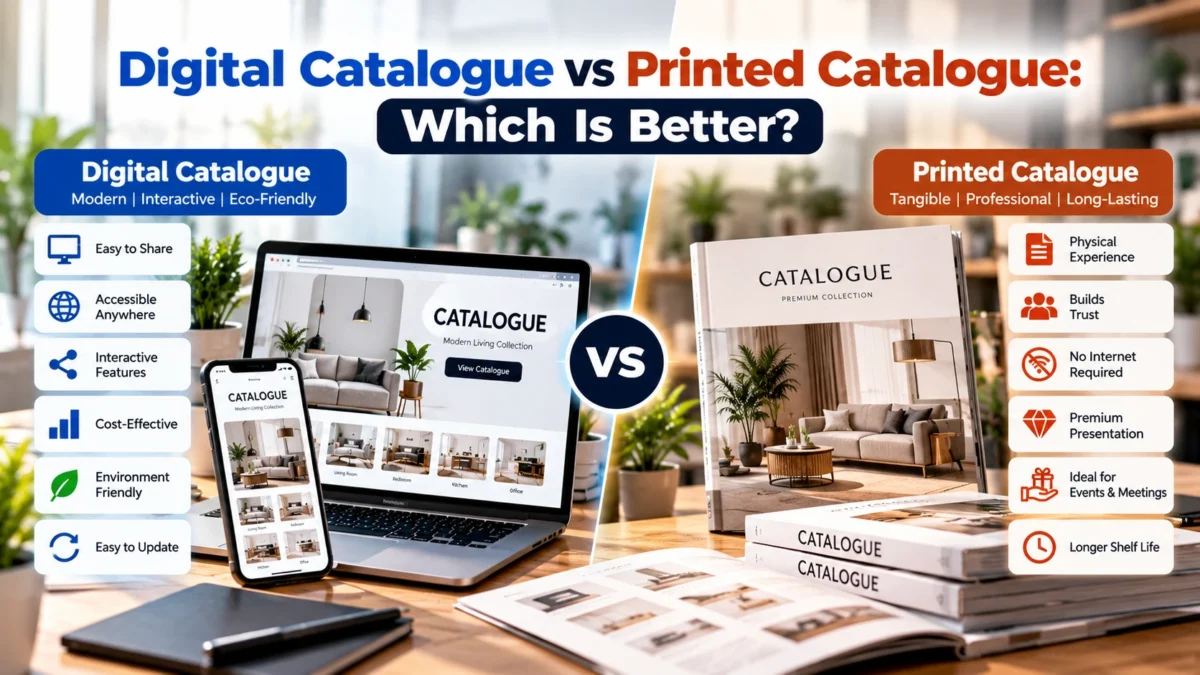
Printed Catalogue vs Digital Catalogue
Businesses often ask whether they should invest in a printed catalogue or digital catalogue.
The answer depends on the target audience and sales process.
Printed catalogues can be valuable at exhibitions, showroom visits, business meetings, trade fairs, and physical sales interactions. They offer a tangible experience and can make products easier to browse in certain situations.
Digital catalogues offer flexibility and convenience. They can be updated more easily, shared instantly, and accessed from different devices.
Many businesses benefit from using both formats.
The same catalogue design can often be adapted for print and digital use while adjusting page dimensions, file size, resolution, links, and interactive elements where appropriate.
Catalogue Design for E-Commerce Businesses
E-commerce businesses can also benefit from catalogue design.
While online stores provide individual product pages, a catalogue can create a broader collection-based shopping experience.
For example, an online catalogue can present a seasonal collection, new product range, premium products, or a complete category in one organized document.
A digital catalogue can also direct users to product pages using clickable links and calls to action.
This creates a connection between traditional catalogue presentation and modern digital commerce.
Catalogue Design for Manufacturers and Exporters
Manufacturers and exporters often have large product portfolios with technical specifications and multiple variations.
For these businesses, catalogue design can simplify complex information.
An effective manufacturing catalogue can include product categories, product codes, dimensions, materials, applications, technical specifications, packaging details, certifications, and company information.
For exporters, a professionally prepared catalogue can also support communication with international buyers who may not have direct access to a showroom or sales representative.
A clear catalogue makes it easier for potential buyers to understand the product range before requesting samples, quotations, or additional information.
Common Catalogue Design Mistakes to Avoid
Even a catalogue with good information can become ineffective if the design is poorly executed.
Too Much Information on One Page
Trying to fit everything onto every page can make the catalogue difficult to read.
Low-Quality Images
Blurry, poorly lit, or inconsistent images can reduce perceived product quality.
Inconsistent Branding
Using different colors, fonts, image styles, and layouts throughout the catalogue can make the brand appear unprofessional.
Weak Product Descriptions
Descriptions that provide little useful information fail to help customers understand the product.
Poor Navigation
A catalogue with no clear categories, page numbers, contents page, or product codes can frustrate customers.
Excessive Decorative Elements
Graphics should support communication rather than distract from products and information.
Missing Contact Information
Customers should never have to search extensively for a phone number, website, email address, or inquiry option.
Ignoring Digital Optimization
Large, uncompressed PDF files can be inconvenient to download or share. Digital catalogues should be optimized for online use while maintaining appropriate visual quality.
How to Create an Effective Catalogue Design
Creating an effective catalogue begins with planning.
Step 1: Define the Purpose
Determine why you need the catalogue.
Is it for product sales, exhibitions, dealers, exports, online marketing, corporate presentation, or customer reference?
The purpose will influence the structure and content.
Step 2: Identify the Target Audience
Understand who will use the catalogue.
A consumer catalogue may emphasize lifestyle benefits and visual appeal, while an industrial catalogue may require detailed specifications and technical information.
Step 3: Organize Product Information
Collect product names, codes, images, descriptions, specifications, prices if applicable, and other relevant details.
Organize this information before starting the visual design.
Step 4: Establish the Visual Direction
Choose colors, fonts, image styles, page structures, and other visual elements that align with your brand.
Step 5: Create a Clear Layout
Design templates for product pages and category pages. Consistent layouts make large catalogues easier to produce and navigate.
Step 6: Add Strong Visuals
Use professional product photography, supporting graphics, icons, diagrams, or lifestyle imagery where appropriate.
Step 7: Include Clear Calls to Action
Make it easy for customers to contact your business, request information, or visit your website.
Step 8: Review and Proofread
Check product names, specifications, measurements, contact details, page numbers, URLs, and spelling before publishing.
Step 9: Optimize for the Intended Format
If the catalogue will be printed, consider print dimensions, margins, image resolution, and color requirements. If it will be distributed digitally, optimize file size and interactive elements.
How Catalogue Design Can Improve Your Marketing Strategy
Catalogue design should not operate separately from your marketing strategy.
A catalogue can support website traffic, social media marketing, email campaigns, sales outreach, exhibitions, product launches, and dealer communication.
For example, a company launching a new collection can promote individual products through social media while using a complete catalogue as a detailed resource for interested customers.
A QR code can connect printed catalogues to product pages or inquiry forms. Digital catalogues can link directly to websites and online stores.
This creates a connected marketing ecosystem in which different channels support each other.
Why Businesses Should Invest in Professional Catalogue Design
Some businesses attempt to create catalogues using basic templates or simple document editors. While these tools can be useful for small internal documents, a customer-facing catalogue requires greater attention to visual hierarchy, branding, photography, layout, and information structure.
Professional catalogue design considers both aesthetics and business objectives.
The designer does not simply decide where to place an image. They consider how the customer will scan the page, which information deserves attention, how products should be grouped, where the brand should appear, and how the page contributes to the overall sales journey.
That strategic approach can make a significant difference.
How to Choose the Right Catalogue Design Approach
Before beginning a catalogue project, consider:
- Number of products
- Target audience
- Catalogue purpose
- Distribution method
- Brand identity
- Required technical information
- Photography requirements
- Print or digital format
- Frequency of updates
- Budget
- Expected customer action
A small service catalogue may require a compact design with strong storytelling. A large product catalogue may need a modular system capable of handling hundreds of products.
The right approach should match the actual business requirement rather than relying on a generic template.
Catalogue Design Trends for Modern Businesses
Modern catalogue design is becoming more focused on simplicity, visual storytelling, usability, and digital integration.
Large, high-quality images are often combined with concise text. Clean layouts make information easier to scan. Icons and visual indicators can simplify specifications.
Digital catalogues may also include clickable navigation, hyperlinks, QR codes, embedded website links, and other interactive elements.
However, trends should never replace usability. A catalogue should remain clear, functional, and aligned with the brand.
The best catalogue design combines modern visual presentation with practical information architecture.
The Role of Photography in Catalogue Design
Photography and catalogue design work together.
Even an excellent layout cannot completely compensate for poor product images. Professional photography helps customers understand products and creates visual consistency across the catalogue.
Depending on the product, photography may include:
- Product-only images
- Lifestyle photography
- Close-up detail shots
- Multiple angles
- Application images
- Texture and finish images
- Scale references
For premium products, high-quality photography can be one of the strongest elements of the catalogue.
Catalogue Design as a Long-Term Business Asset
A well-designed catalogue can continue providing value long after its initial launch.
Sales teams can use it repeatedly. Customers can refer to it when comparing products. Dealers can share it with prospects. Marketing teams can use it during campaigns. The catalogue can also serve as a structured archive of a company’s product range.
For this reason, businesses should think of catalogue design as a long-term marketing asset rather than a one-time promotional document.
A well-organized catalogue can also make future updates easier. If the design system is structured properly, new products can be added while maintaining consistency.
Frequently Asked Questions About Catalogue Design
What is catalogue design?
Catalogue design is the process of creating a structured visual document that presents a company’s products or services using images, descriptions, specifications, branding, and organized layouts.
Why is catalogue design important?
Catalogue design helps businesses present products professionally, improve customer understanding, strengthen brand identity, support sales teams, and make product information easier to access.
What should a product catalogue include?
A product catalogue may include product images, names, descriptions, specifications, product codes, categories, applications, pricing information, company details, and contact information.
Is digital catalogue design better than printed catalogue design?
Neither is universally better. Digital catalogues are convenient to share and update, while printed catalogues can be highly useful at exhibitions, meetings, showrooms, and physical sales interactions. Many businesses use both.
How many pages should a catalogue have?
There is no fixed number. A catalogue may contain a few pages or hundreds of pages depending on the product range, audience, and purpose.
Can catalogue design help increase sales?
A catalogue does not guarantee sales, but effective catalogue design can improve product presentation, simplify information, support sales communication, build trust, and guide customers toward making an inquiry or purchase.
What Is Catalogue Design and Why Does Your Business Need It? — Final Thoughts
So, What Is Catalogue Design and Why Does Your Business Need It? Catalogue design is a strategic combination of visual communication, product presentation, branding, information organization, and customer experience.
A professionally designed catalogue can transform a large amount of product information into a clear and persuasive marketing asset. It can help customers discover products, understand features, compare options, and take the next step toward contacting your business.
Whether you need a product catalogue, corporate catalogue, service catalogue, digital catalogue, or printed catalogue, the design should always begin with your business goals and customer requirements.
Your catalogue is often more than a document. It can be a sales tool, brand communication asset, product reference, presentation resource, and marketing channel.
If you want to create a professional catalogue that represents your brand and presents your products in a compelling way, consider working with an experienced design team.
Create a Professional Catalogue for Your Business
Ready to present your products or services with a more professional and engaging catalogue?
Explore professional catalogue design solutions and discuss your requirements with the team through the catalogue design and business consultation page. A well-planned catalogue can help your business communicate its value clearly, strengthen its brand image, and give customers a better way to explore your offerings.
Make your product range easier to understand, easier to remember, and easier to choose with a catalogue designed around your business goals.